
Add photos and notes to every home maintenance task
The reminder tells you it's time. But by the time it arrives, you've usually forgotten the details. What size was the filter? Which valve did you turn last time? Was it the third shelf in the basement or the fourth? House Bober lets you attach a photo and your own notes to any task, so the answers are right there when you need them.
Snap a picture when you set the task up, or add one later. Write down the part number, the steps you took, or a reminder of where the thing actually is. Next time the reminder fires, you open the task and everything you need is already waiting — no guessing, no second trip to the hardware store.

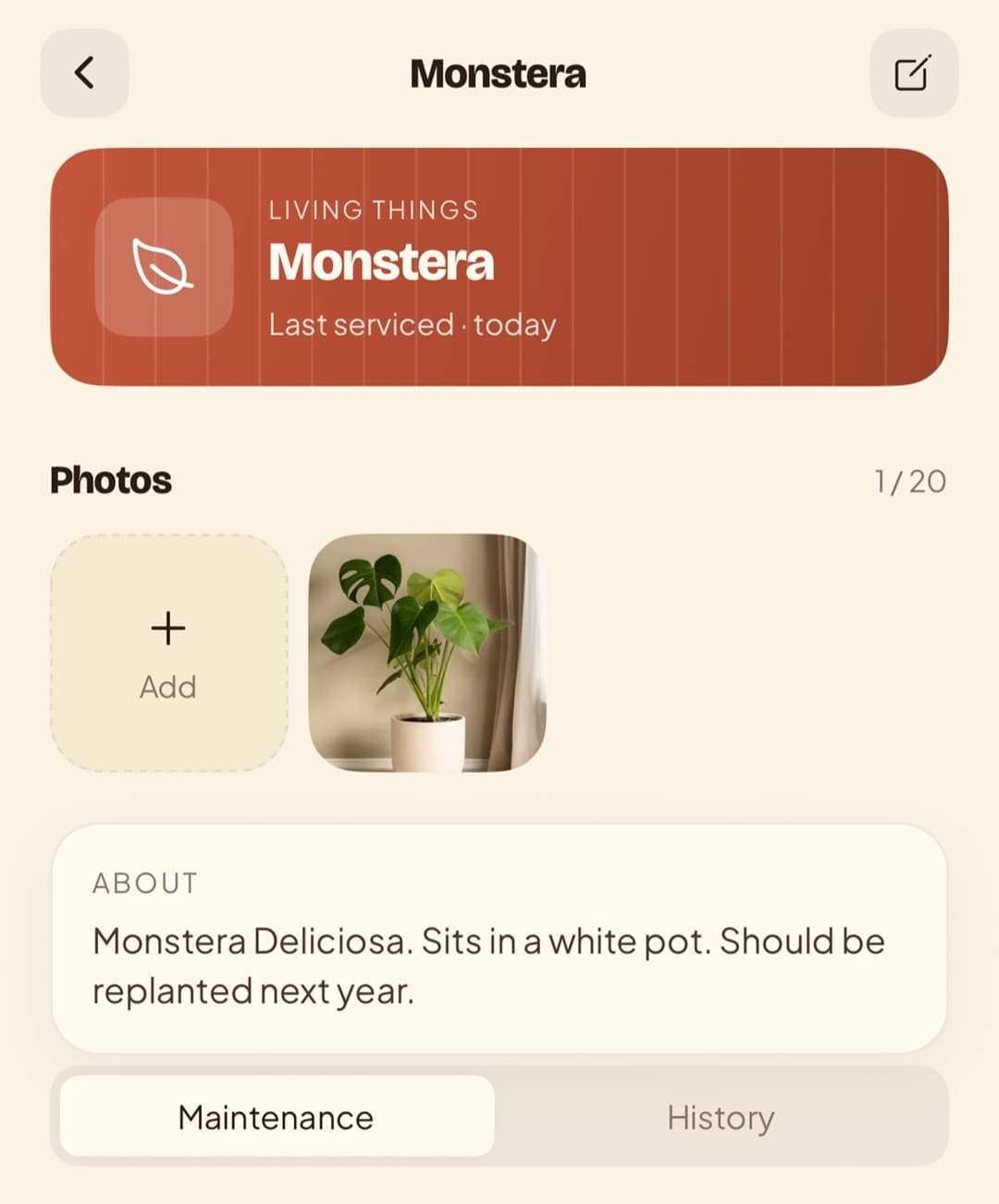
A photo is worth more than a label
Some tasks are easy to name and hard to remember the specifics of. “Replace water filter” is simple to write down. Standing in the shop trying to recall the exact cartridge model is the hard part.
A photo solves that. Take a picture of the filter, the model sticker, or the setup before you take it apart, and attach it to the task. When you're at the store or back at the job months later, you have a visual record instead of a vague memory.
Notes that turn a reminder into instructions
A reminder says what. Notes say how. House Bober lets you add your own description to each task, so you can save the things you'd otherwise have to look up or relearn every single time.
Jot down the steps, the tools you need, the shop where you bought the part, or a warning about the one screw that always strips. Over time, each task becomes its own little instruction sheet — written by the one person who knows your home best.
Especially useful for the once-a-year jobs
The tasks you do every week, you remember. It's the ones that come around once or twice a year that catch you out, because that's long enough to forget the details entirely.
Photos and notes are built for exactly these. Flushing the water heater, servicing the boiler, winterizing the outdoor tap — by the time they come back around, you've lost the thread. A picture and a few lines of your own notes pick it right back up for you.
Hand off a task without explaining everything
If someone else in the household ends up doing the job, a task with a photo and clear notes means you don't have to walk them through it. They open it, see what it is, see what to do, and get on with it.
That's even more useful with House Bober Pro, where you can share your maintenance list across the household, so anyone can pick up a task with all the context already attached.
Make every task remember itself
Download House Bober, add your first task, and attach a photo and a note. The next time the reminder comes around, you'll be glad the details were saved instead of forgotten.